AgentIntel has no separate page for a brokerage. To see a brokerage’s agents and what each one closed, filter the Office column in Agents.
Filter the list to one brokerage
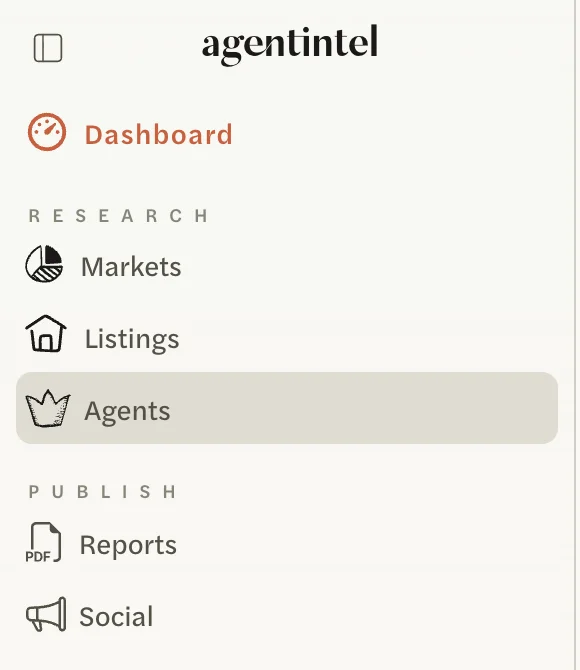
Select Agents in the left menu.
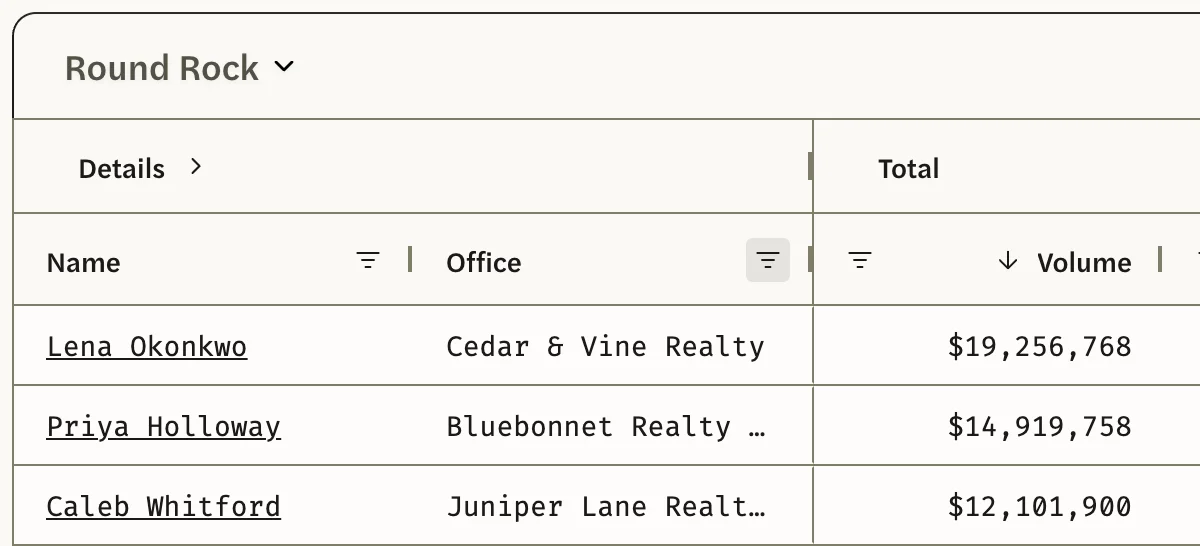
Choose the market and the period. The list starts on your whole MLS over the last 12 Months; to change either, see Rank agents in a market.

Select the filter icon, three short lines, beside the Office heading.
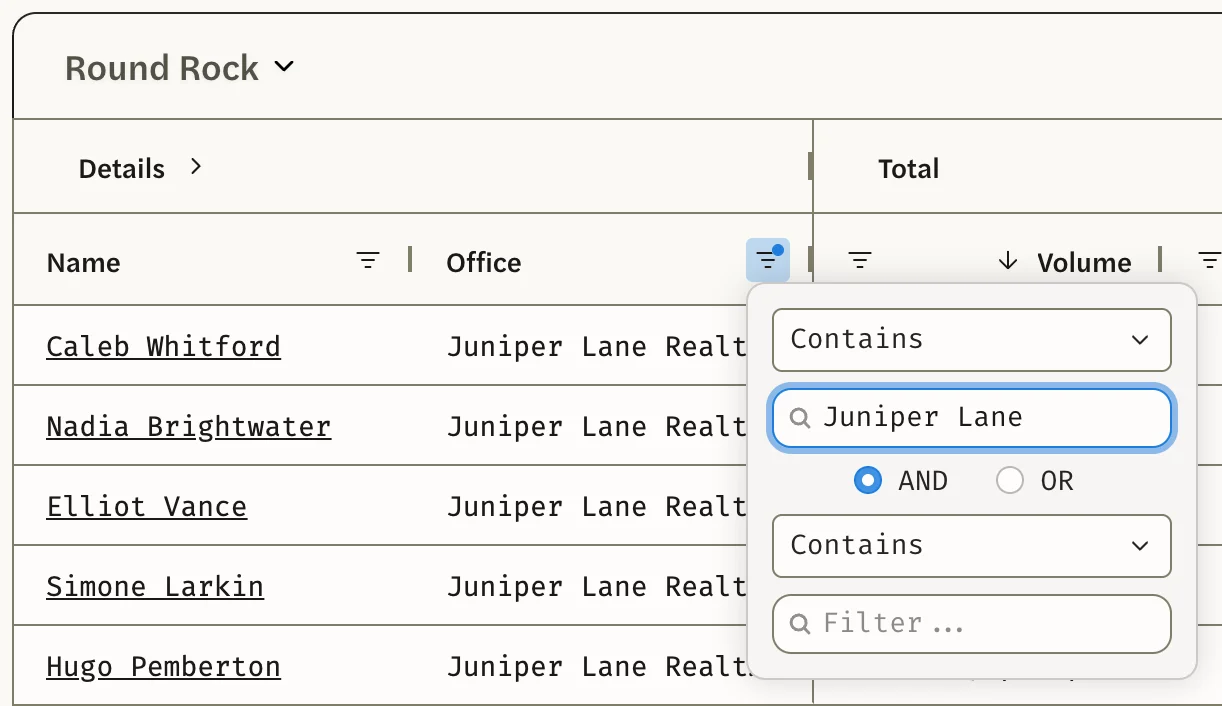
Type part of the brokerage’s name, such as Juniper Lane. Capitals don’t matter, and the list narrows as you type.
Select anywhere outside the filter to close it.
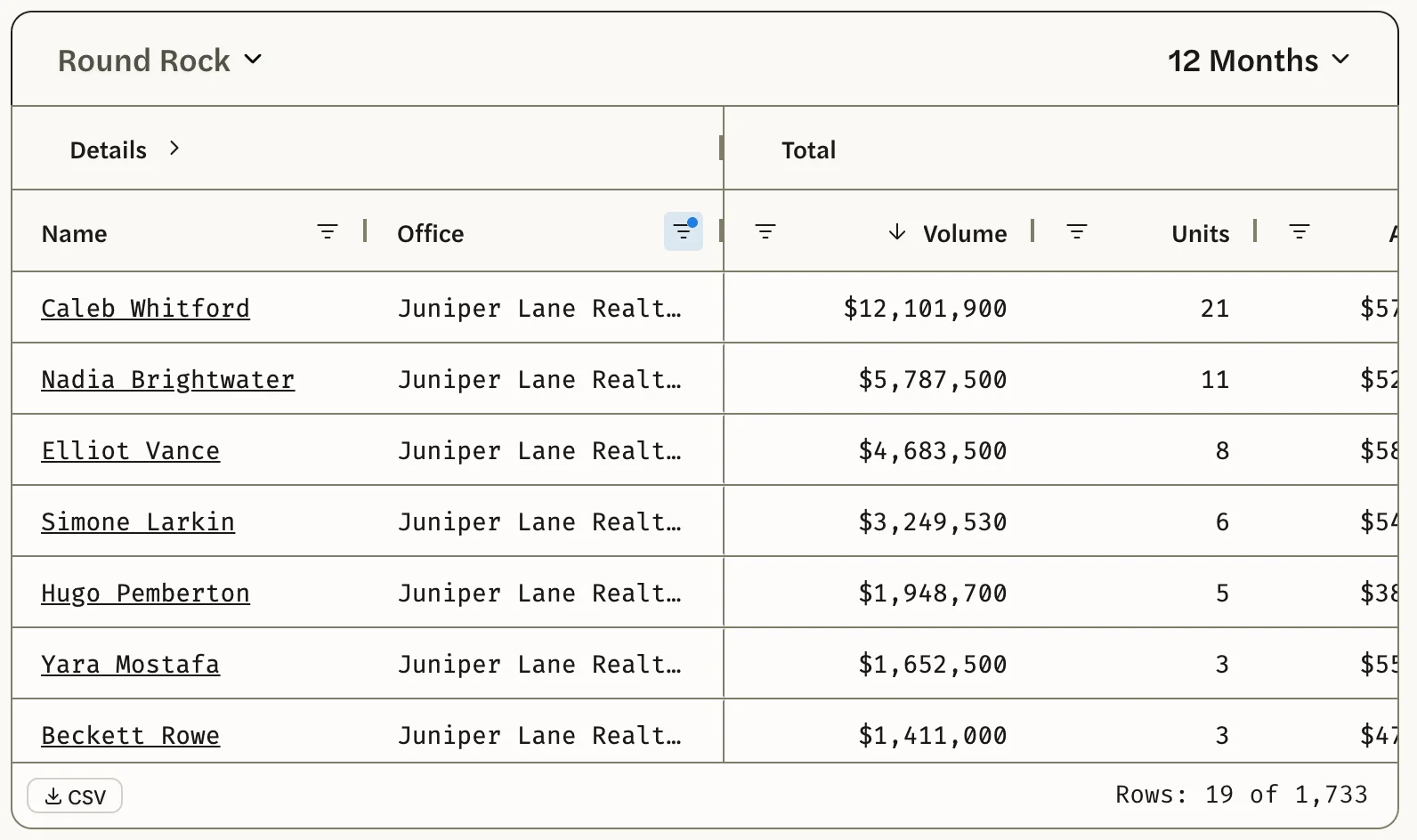
The list now shows only the agents whose office name contains what you typed, in the same order as before. The bottom right of the list shows how many agents match, such as Rows: 24 of 1,741, and a dot on the Office filter icon shows that a filter is on.
A brokerage with several offices lists each one under its own name in your MLS. Type the part of the name they share to catch them all, then check the Office column for other brokerages whose names contain the same words.
To add a second brokerage to the list, type its name in the second box and select OR.
Clear the filter
Select the filter icon beside Office again and delete what you typed. The whole list comes back.
Agents needs an MLS Connection, and covers only your own MLS’s agents. See Connect your MLS.
Good to know
- Office is where the agent is now. It is the agent’s current office in your MLS. An agent’s figures include all their sales in the market and period, including any made at a previous brokerage, and an agent who has moved is listed under their new office.
- Only agents with a sale are listed. An agent appears only if they closed at least one sale in that market and period. Choose a longer period or a larger market to see more of the brokerage’s agents.
- There’s no total for the brokerage. Adding up its agents’ Volume counts a sale twice when two of its agents worked on it, because each agent is credited with the full sale price. See How production is counted.
- The filter stays on. It stays when you change the period, and it is kept in the page address, so a bookmark brings the same brokerage back.
- To work with the list in a spreadsheet, see Export agents to CSV. The file holds only the agents that match your filter.